Editing email texts
Updated on 2026-08-25
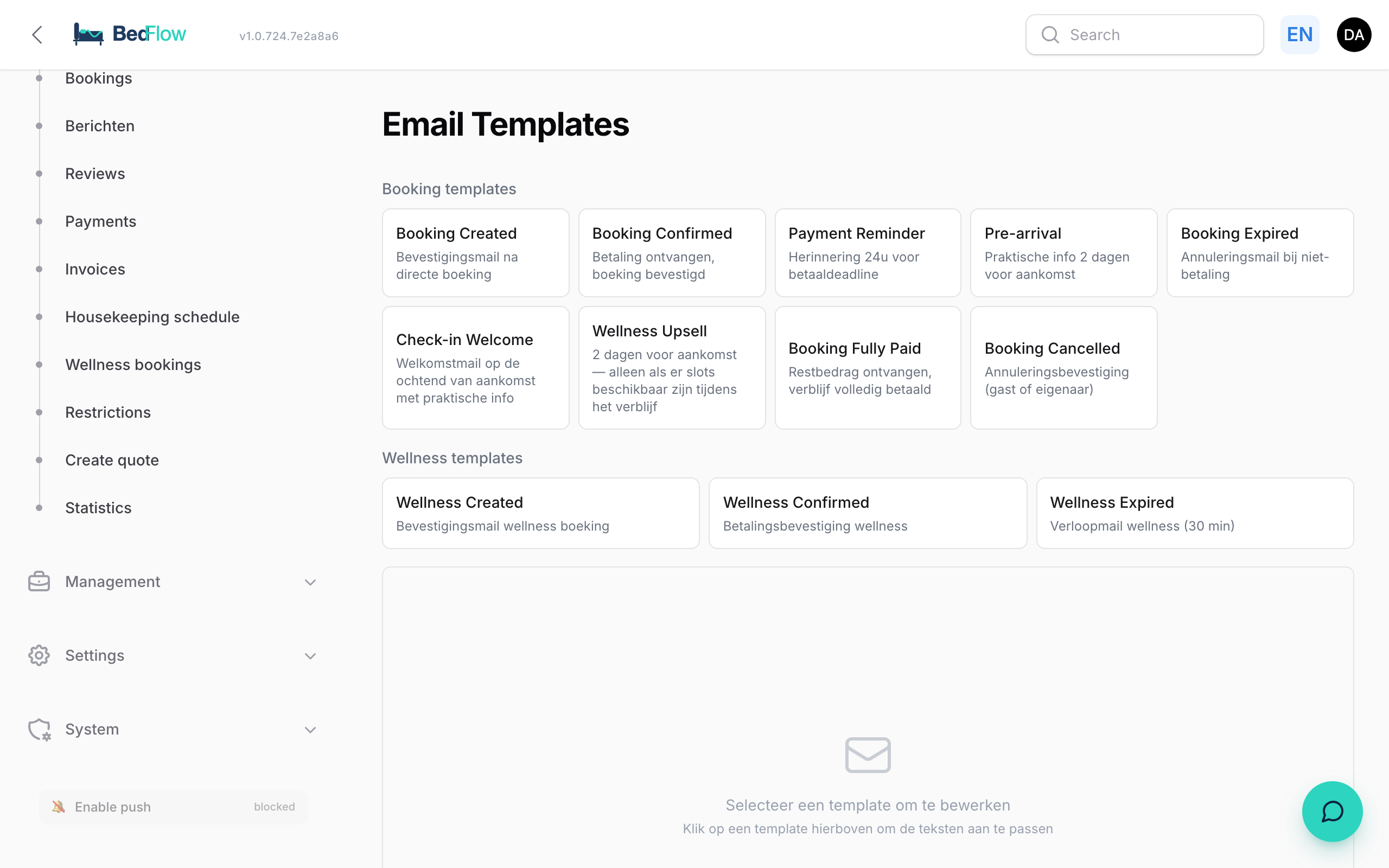
Every automatic email is sent from a template with a title, a subject line and a body text per language (NL / EN / FR / DE). You manage those texts centrally via Manage → Message templates.
What is on this page?
A list of all templates BedFlow knows — booking-created, booking-confirmed, booking-fully-paid, booking-pre-arrival, booking-reminder, booking-cancelled, wellness-created, …
For each template you see:
- Key (technical identifier, do not change)
- Subject per language (the subject line in the inbox)
- Body per language (the actual email content, with variables)
- Preview — open the test preview to see what a real email looks like
Editing a template
- Open Manage → Message templates in the sidebar
- Click the template you want to adjust
- At the top there are tabs for NL · EN · FR · DE — each language has its own subject and body
- Adjust the text. Keep variables between curly braces, e.g.
{guest_first_name},{arrival_date},{total_amount},{guest_portal_url},{payment_link} - Click Save — active immediately, no restart needed
Setting the sign-off
Every guest email ends with a closing line and a name below it. By default that is your property name, but at the top of Manage → Message templates you can enter your own sign-off — e.g. "Wim & Marilda - B&B BurgemeesterHuys".
- Applies immediately to all automatic guest emails of the property, in every language
- Leave it empty = BedFlow simply uses the property name
- Click Save sign-off — active immediately, including in the preview
Review request after the stay
The booking-review-request template ("Review Request") asks the guest for a review after their stay — with a button and a QR code pointing to your review page (e.g. your Google review link).
- At the top of Manage → Message templates, paste your review link into the Review link field and click Save link. For Google you'll find it in your Google Business profile ("Ask for reviews"), in the form
https://g.page/r/…/review. - Under Manage → Automatic messages, create an automation with the trigger X days after departure (e.g. 1 day) and pick the Review Request template.
The button and QR code in the email automatically point to your link — you don't need to put them in the text yourself. As long as the Review link field is empty, this email is deliberately not sent: a review request without a link is pointless.
Parking directions in the welcome email
The booking-checkin-welcome template ("welcome on the day of arrival") has its own parking_info field: the parking directions the guest sees in the email. You edit it per language, like any other field in the editor.
- Filled in = the text appears as a parking block in the welcome email
- Empty = the email shows no parking line (unless a platform-wide default text is set — then that one applies)
Which variables are available?
| Variable | What it fills in |
|---|---|
| {guest_first_name} | "Jan" |
| {guest_last_name} | "Jansen" |
| {arrival_date} | "Friday 24 May 2026" |
| {departure_date} | "Sunday 26 May 2026" |
| {nights} | 2 |
| {room_name} | "The Grand Suite" |
| {total_amount} | "€396.00" |
| {deposit_amount} | "€118.80" |
| {balance_amount} | "€277.20" |
| {payment_link} | Stripe checkout URL |
| {guest_portal_url} | Magic link to the guest portal |
| {cancellation_deadline} | "up to 7 days before arrival" |
| {property_name} | "B&B Burgemeestershof" |
| {property_phone} | "+32 470 00 99" |
Non-existent variables are replaced by an empty string — the email stays readable but it is best to avoid that.
Frequently asked questions
Can I add my own template? No, the set of templates is bound to triggers. You can adjust an existing template or, via Email automations, create a rule that uses an existing template for a new situation.
How do I test an email before it goes to guests? Click Preview at the top right in the template editor. BedFlow generates a live email with dummy data. You can also view real sent emails in Mail log.
What if a guest speaks NL but the OTA passes through EN?
Then the NL version is sent, because BedFlow takes guest_language from the booking. Channex passes that field along with every OTA booking.
Related
- Guest journey overview — when which template is sent
- Mail log — review all sent emails