Housekeeping module — activating
Updated on 2026-08-17
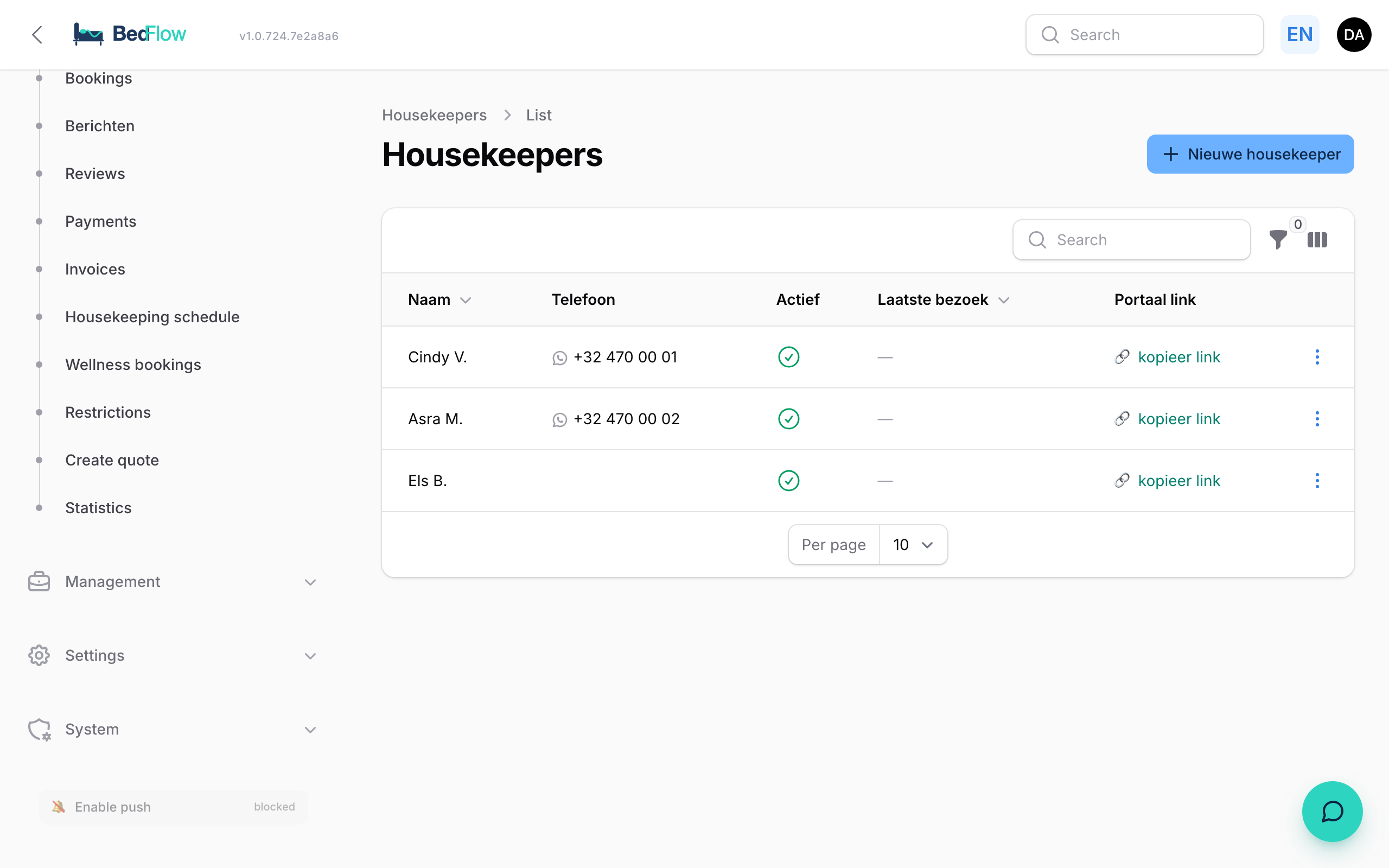
The housekeeping module is optional — not everyone works with external cleaners. That is why it can be switched on and off.
Activating
- Go to Settings → Integrations (Connections page)
- Scroll to Guest experience → "Housekeeping module"
- Click the toggle → active
From that moment on, 2 new items appear in your sidebar under Tools:
- Housekeepers — the people
- Housekeeping schedule — who comes when
If you deactivate it later → the sidebar entries disappear and your housekeepers' personal links stop working. Your data is preserved.
Adding housekeepers
- Go to Housekeepers → ➕ New housekeeper
- Fill in:
- Name (only visible internally — this is NOT shown on the housekeeper page itself, for privacy reasons)
- Phone (for the WhatsApp link)
- Active toggle
- Notes (free text)
- A personal, unique link is generated automatically
- Click Create
Sending the link
In the list, click the ⋮ button on the right next to the housekeeper:
- Send WhatsApp link — immediately sends their personal URL + a short welcome message via the configured WhatsApp provider (TextMeFlow or TextMeBot)
- Open portal (test) — opens their view in a new tab, handy to check yourself what it looks like
- New token — invalidates the old link (e.g. when someone leaves)
Or copy the link via the "🔗 copy link" button in the column.
Automatic daily notification
On the Housekeeping schedule page at the top you find a time picker. Set it to e.g. 07:30 — every morning at that time all scheduled housekeepers automatically receive their portal link via WhatsApp, together with a short overview of the day ("2 check-outs, 1 backlog from yesterday").
No duplicate messages — whoever already received their overview is marked as notified and doesn't get it again.
Next article
See Housekeeper portal — what do they see? for what the cleaner view looks like.