Creating a new room
Updated on 2026-08-17
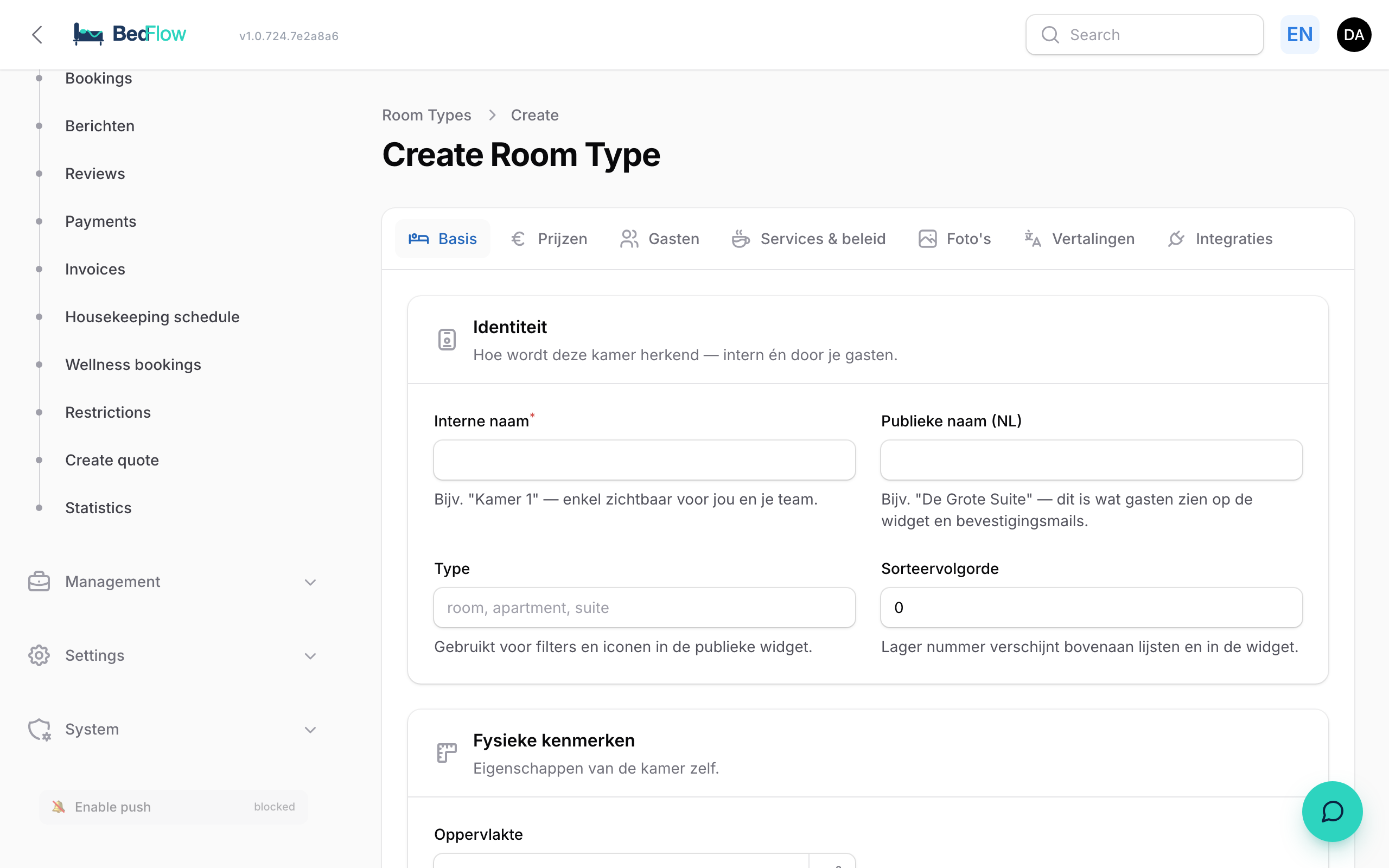
In the past all rooms first had to live in MyTourist and were pulled into BedFlow via the sync. Since April 2026 you can create rooms entirely locally — MyTourist is optional.
Where do I find room management?
In the sidebar under Settings → Room types. You will see an overview of all existing rooms with their public name, capacity, base price and a quick preview of the main photo.
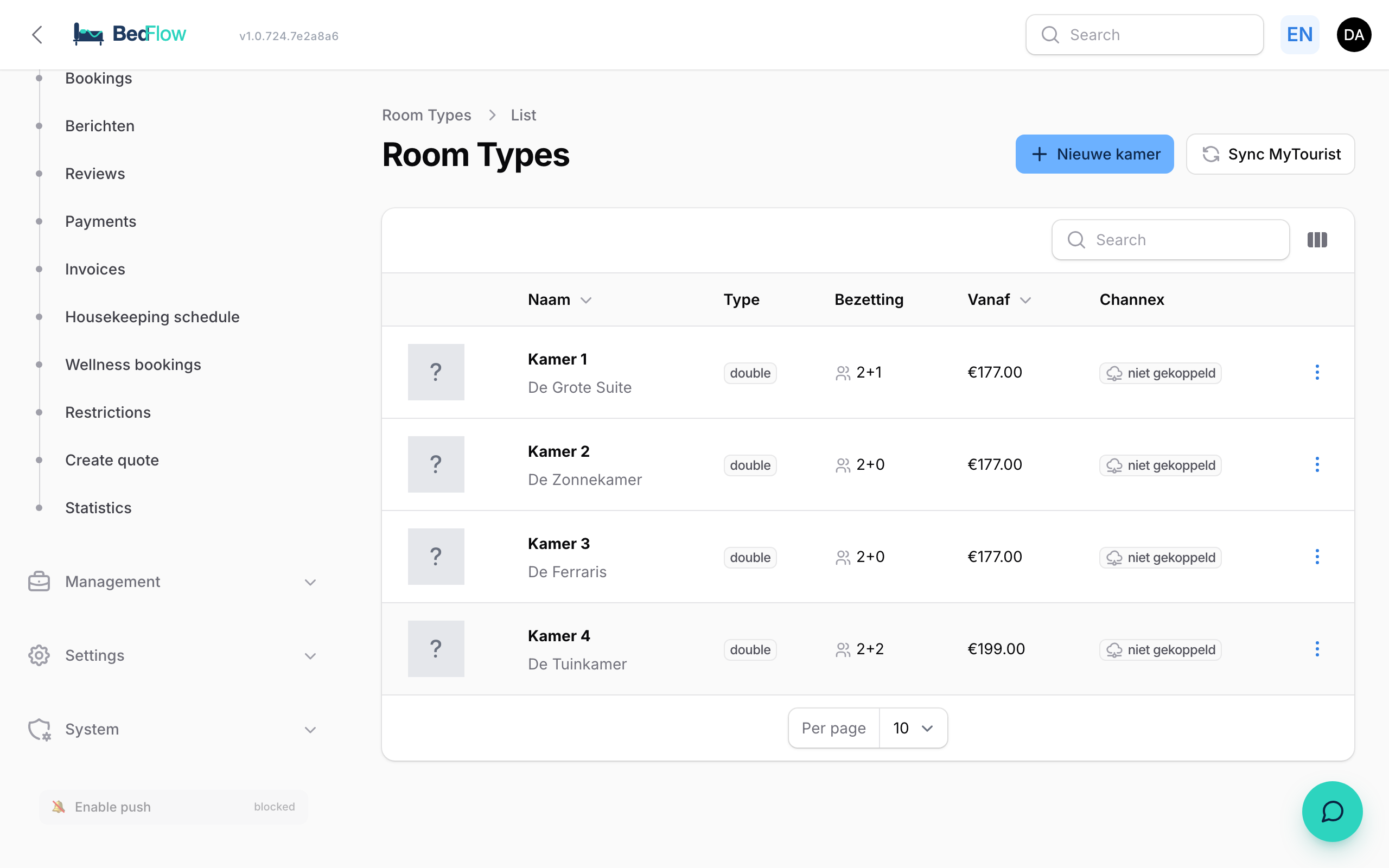
Adding a new room
- Go to BedFlow → Room types in the sidebar
- Click ➕ New room at the top right
- Fill in:
- Internal name — e.g. "Room 5" (for internal use in calendar and lists)
- Public name — e.g. "The Suite by the garden" (what the guest sees)
- Type — optional, for categorisation
- Surface area — in m²
- Sort order — lower number = higher in lists
- Occupancy: max. adults, children, total occupancy. Plus an internal description.
- Base prices: default weekday + weekend rate. You can add more detail (day-specific, seasonal rules) later via Rate management.
- Accounting (Yuki): ledger account + cost centre — collapsed, only fill in if you invoice through Yuki.
- Channel Manager (Channex): Channex Room Type ID + Rate Plan IDs — collapsed, fill in if the room should also appear on Booking.com / Airbnb.
- Multilingual names + descriptions: NL / EN / FR / DE — for the booking widget and confirmation emails.
- Amenities (tags): wifi, tv, air conditioning, private bathroom, …
- Photos: one "default" photo (most used) + all photos (for the booking widget carousel).
Click Create — both the room type and the matching Room entry are created automatically.
Frequently asked questions
Do I have to create each physical room separately? Yes, if they can be booked separately. You can however quickly make copies through Duplicate (see the next section).
Can I temporarily take a room out of bookings? Yes, use the Restrictions page (Daily → Restrictions) to set closure days or stop-sale per room.
What if I have a room from MyTourist? Locally created rooms and MyTourist rooms live peacefully side by side. MyTourist only updates the rooms that come from MyTourist itself.
Duplicating an existing room
Do you have 15 identical rooms? Create one and click Duplicate in the hamburger menu ⋮ of each row. You pick a new name and the rest is copied except the MyTourist + Channex IDs (you have to link those again yourself).
This is handy for larger hotels where many rooms share the same layout.