Managing products & extras
Updated on 2026-07-01
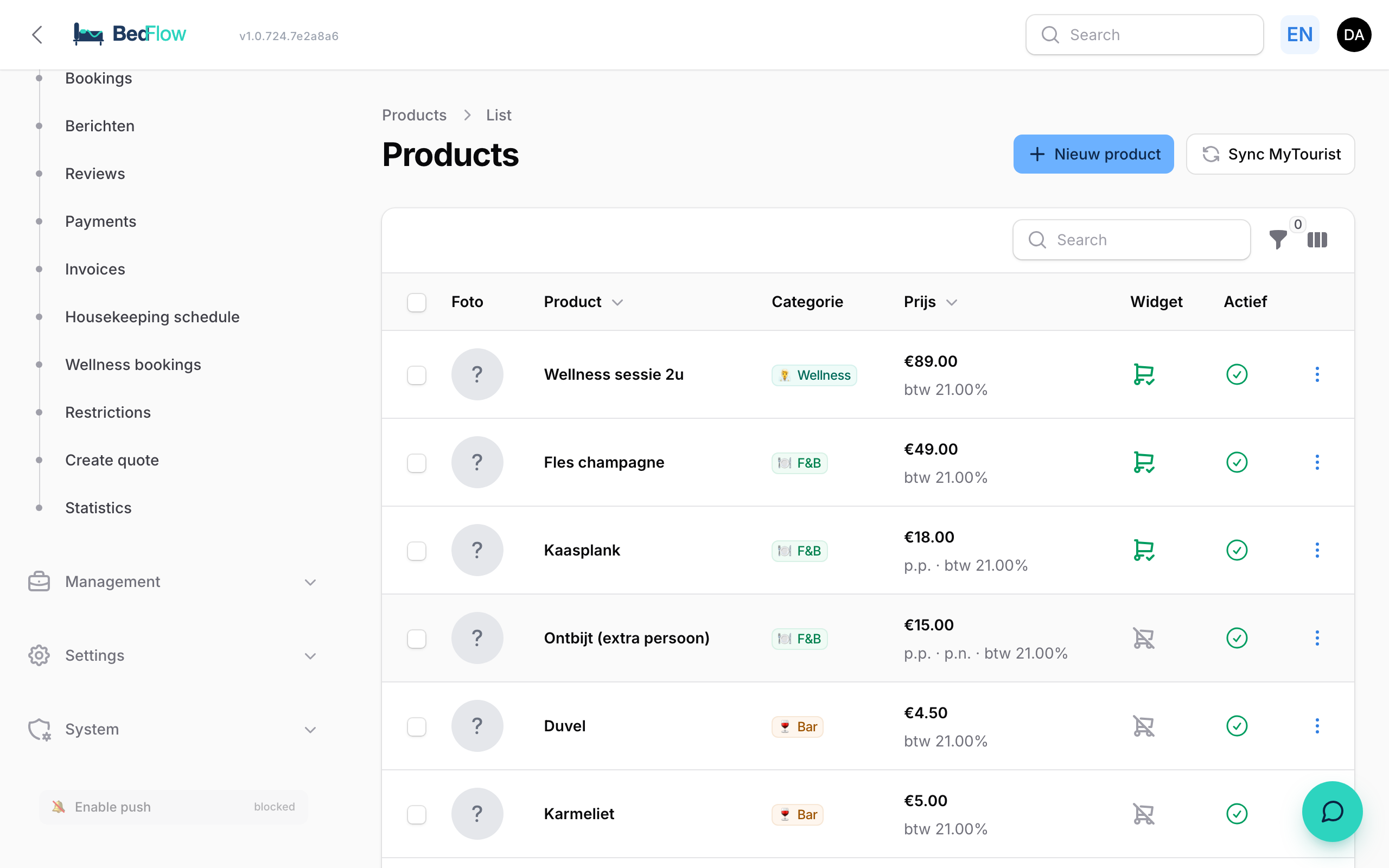
Manage → Products — manage all the "extras" a guest can add to a booking or that you manually put on an invoice.
Adding a new product
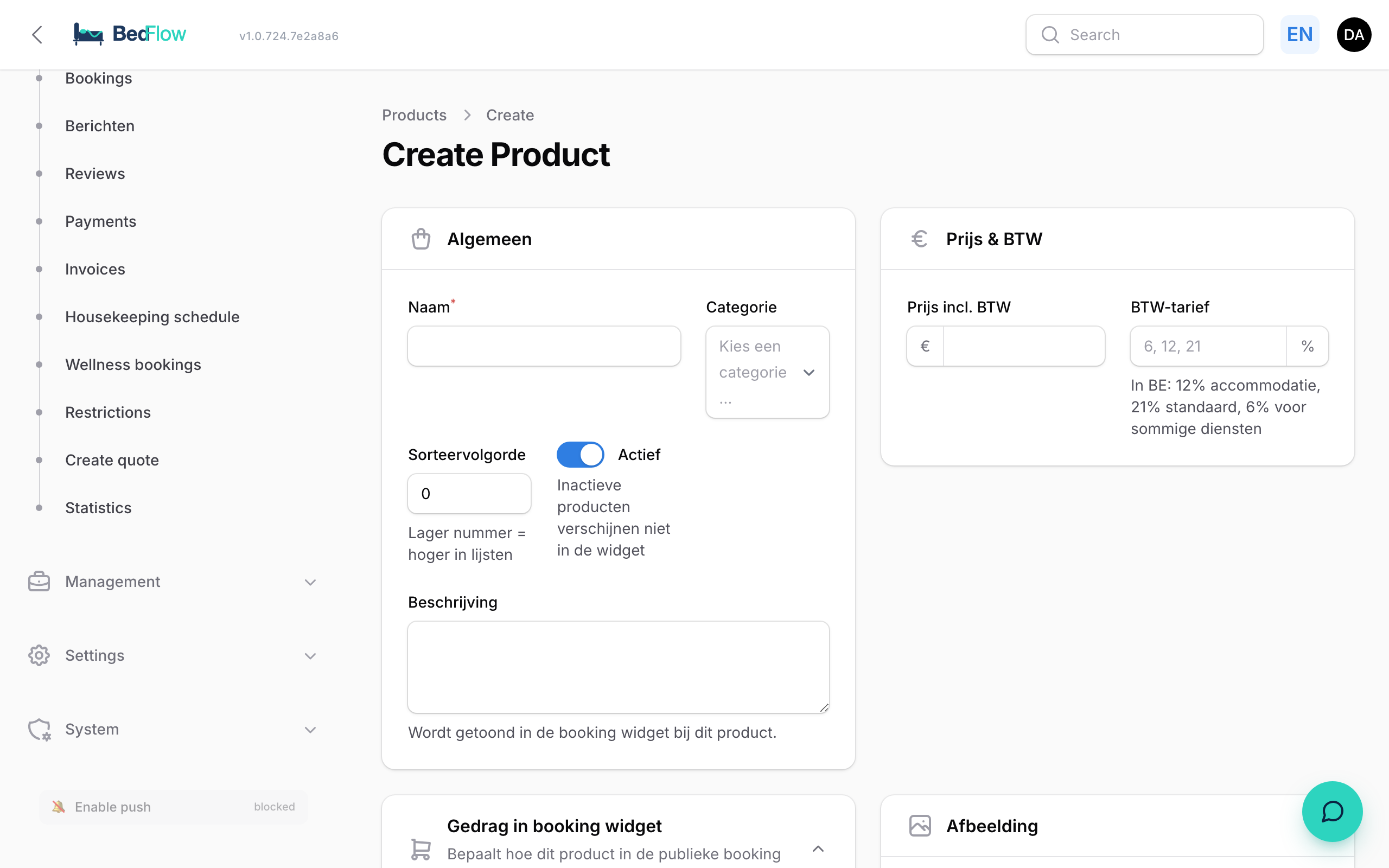
- Open Manage → Products → New product
- Fill in:
- Name — e.g. "Wellness session 2h" (translatable per language)
- Category — wellness, food & beverage, honesty bar, surcharge, extra
- Price incl. VAT — what the guest pays
- VAT percentage — 21% standard, 12% for accommodation-related costs, 6% for some services
- Per person / Per night — automatically multiplied by the number of persons / nights
- Bookable by guest — appears in the booking widget and in the guest portal
- Create
Categories
- Surcharge — e.g. late check-out, extra bed, pet
- Wellness — wellness session, bubbles, towels
- Food & Beverage — breakfast extra, bottle of wine
- Honesty bar — items in the minibar (drinks, snacks, …)
- Extra — anything that does not fit the other categories
Each category can have its own colour badge in the table.
Fields per product
- Name + description
- Category + (legacy) type
- Price incl. VAT
- VAT rate (6, 12, 21%)
- Ledger account + cost centre (Yuki)
- Sort order
- Active toggle
- Image (optional)
Booking widget behaviour
Toggles per product:
- Bookable via the booking widget — show as an extra in step 3 of the widget
- Mandatory on every booking — automatically charged on every booking (e.g. final cleaning, linen); see Mandatory fees
- Guest may choose quantity — otherwise fixed at 1
- Price per person — multiplied by the number of guests
- Price per night — multiplied by the number of nights
- Show on the breakfast list — for breakfast-related extras
For example: "Cheese board to the room" = €18, bookable, guest may choose quantity, price per person, not per night → a guest of 3 picks 2× = €36.
Linking to rooms
A bookable product only appears in the widget once it is ticked for the room type: Settings → Room types → edit the room type → Bookable extras in widget section. Only products that are "Bookable via widget" and "Active" show up in that list. This way you offer e.g. the linen package only for the large house, and the extra-person surcharge only for rooms that fit a third person.
Honesty bar flow
Products with category = Honesty bar appear in the guest portal (during the stay) where the guest can tap them. Each tap adds a line to the guest's invoice. You see it immediately in the admin. Want to ring up consumption at the bar or counter yourself? Use the POS register.
Local creation
Since April 2026: external_id can be empty, no longer bound to MyTourist. Directly via ➕ New product.
Duplicating
Handy for variants: create "Breakfast standard", click ⋮ → Duplicate, name it "Breakfast vegetarian", adjust the price.
MyTourist sync
Daily via SyncProducts. Existing products are not overwritten; only empty fields are filled in from MyTourist.